MmdPdf is a free, open-source PDF editor for Windows. View, annotate, OCR, merge, split, edit text, draw, sign, fill forms, print, flatten, and open password-protected PDFs without an Adobe subscription. Install it or run it portable from the same Windows download. No runtime installation is required, and the app never phones home.
Full how-tos live on the [help page](https://baobab-ts.com/help.html); internals, formats, and limits on the [technical page](https://baobab-ts.com/technical.html).
## Features
- High-quality PDFium rendering with four view modes (Single, Continuous, Two-Page with a book layout option, Grid), tabbed documents, and a split pane for two documents side by side
- Annotate with inline text editing and font matching, word-wrapping text boxes, drawing, lines, highlights, images, and page-number or watermark stamps. Highlights use the Multiply blend so the text underneath stays readable, and every tab has its own undo and redo history.
- Built-in OCR (Tesseract bundled, no cloud): make searchable PDFs, OCR a page or region to the clipboard, extract all text; extra languages download on demand
- Organize pages: merge, split, insert, rotate, crop, extract, delete, drag-and-drop reordering; drop a folder or `.zip` onto the window to merge its contents
- Export one page or a multi-page selection as PNG or JPEG directly from the Pages panel
- Transform: rotate, scale, flip, deskew by drawing a level line, perspective correction for photographed pages, and a LEVELS section (black point, white point, midtones) for pale scans
- Forms: fill text, checkbox, radio, and comb fields as live controls and save back; digital signatures with a cloud certificate (Certum SimplySign), plus drawn or imported signatures and initials
- Print with a real in-app preview, paper size and source selection, scale / position / margins / pages-per-sheet options at 300 DPI; Save Flattened rasterizes to a fully uneditable PDF
- Full-text search with highlighting, and column-aware text selection that copies multi-column pages in reading order
- Night-mode inversion works independently in each split pane. Thirteen themes, live accent colors, and toolbar styles provide 33 looks, while the resizable sidebar can dock on either side.
- Localized UI in 12 languages (contribute via `TRANSLATING.md`); full keyboard shortcut overlay on F1 with list and visual keyboard views
- Opens password-protected PDFs (prompts instead of erroring) and repairs damaged ones
- Runs portable, or self-installs per-user (no UAC) or machine-wide (`/silent` for scripted deployment); registers as a PDF handler and uninstalls cleanly
- Standards-safe saves: every release is tested against a 2,900-file veraPDF conformance corpus with a zero-regressions requirement. See [validation/RESULTS.md](validation/RESULTS.md).
- Local-only: no account, no telemetry, no phone-home
## Command line
Every core operation also runs headless from a terminal, with meaningful exit codes, even while the app is open:
```powershell
MmdPdf.exe --merge out.pdf a.pdf b.pdf scan.jpg
MmdPdf.exe --extract-pages in.pdf 1-3,5 out.pdf
MmdPdf.exe --split in.pdf pages\
MmdPdf.exe --decrypt locked.pdf open.pdf [--password p]
MmdPdf.exe --to-image in.pdf imgs\ --dpi 300 --format jpg
MmdPdf.exe --flatten in.pdf flat.pdf
MmdPdf.exe --print in.pdf --printer "HP LaserJet" --pages 1-4 --copies 2
MmdPdf.exe --ocr scan.pdf searchable.pdf --lang eng
MmdPdf.exe --batch-resave inDir\ outDir\ --log report.csv
MmdPdf.exe --help
```
Full reference on the [help page](https://baobab-ts.com/help.html).
## Screenshots
| | |
| --- | --- |
| 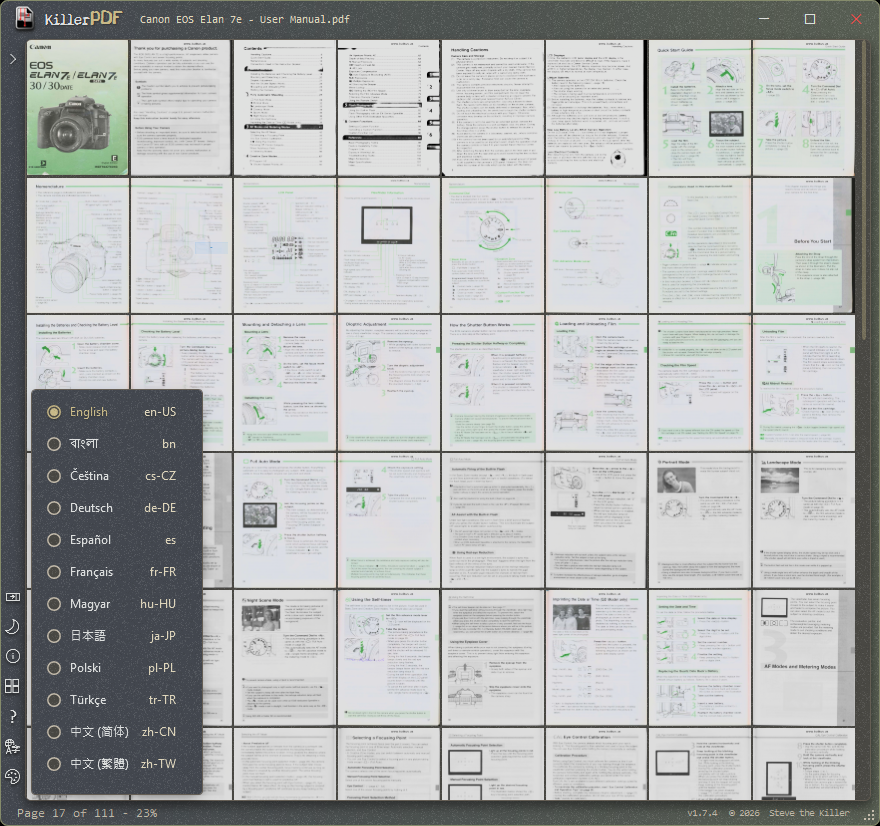
**Grid view and twelve languages** - Survey a whole document at once, with the menu bar hidden and the interface switchable between twelve languages. | 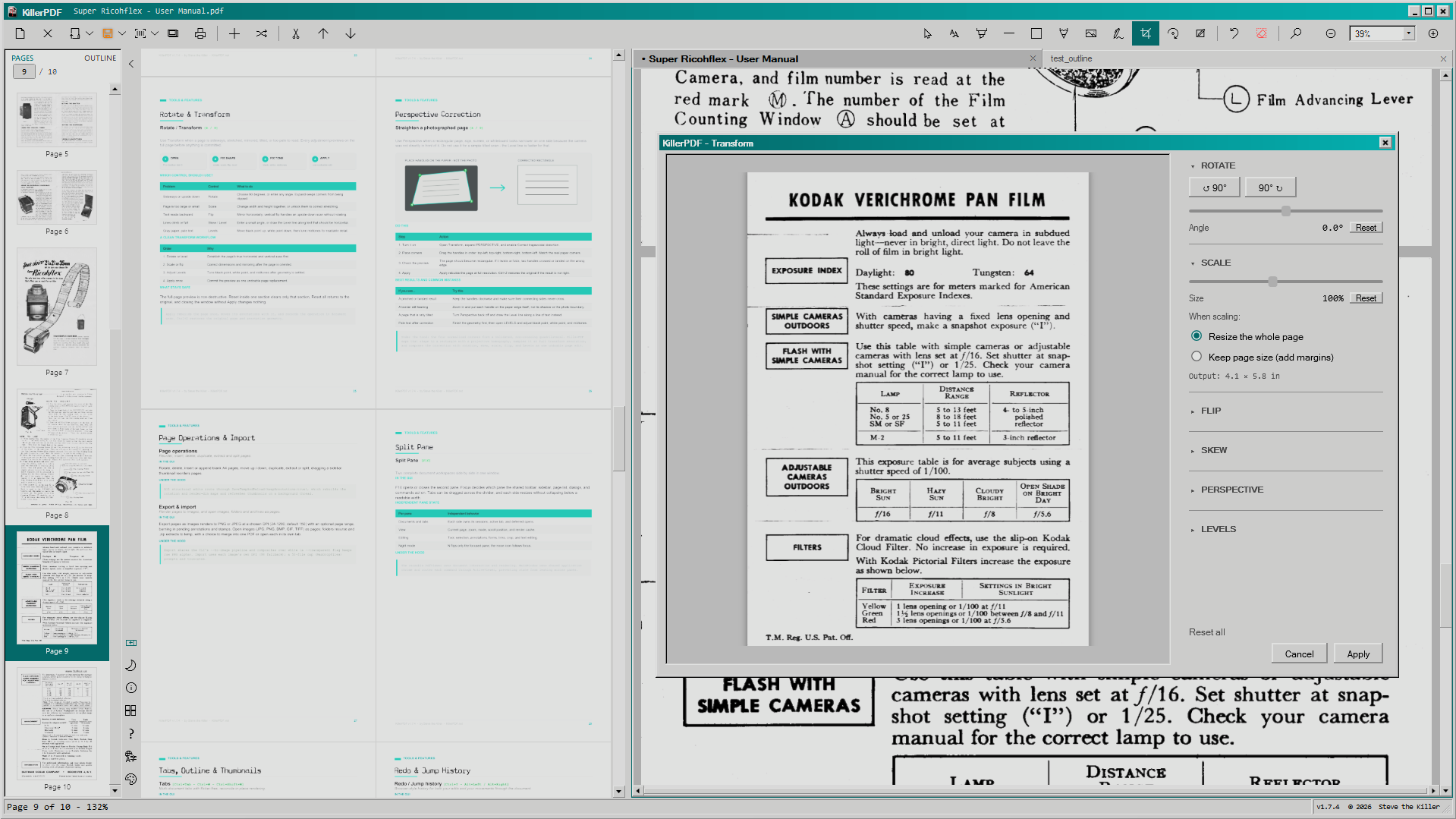
**Split panes and Transform** - Work in two independent panes while previewing rotation, scale, flip, skew, perspective, and Levels before applying. |
| 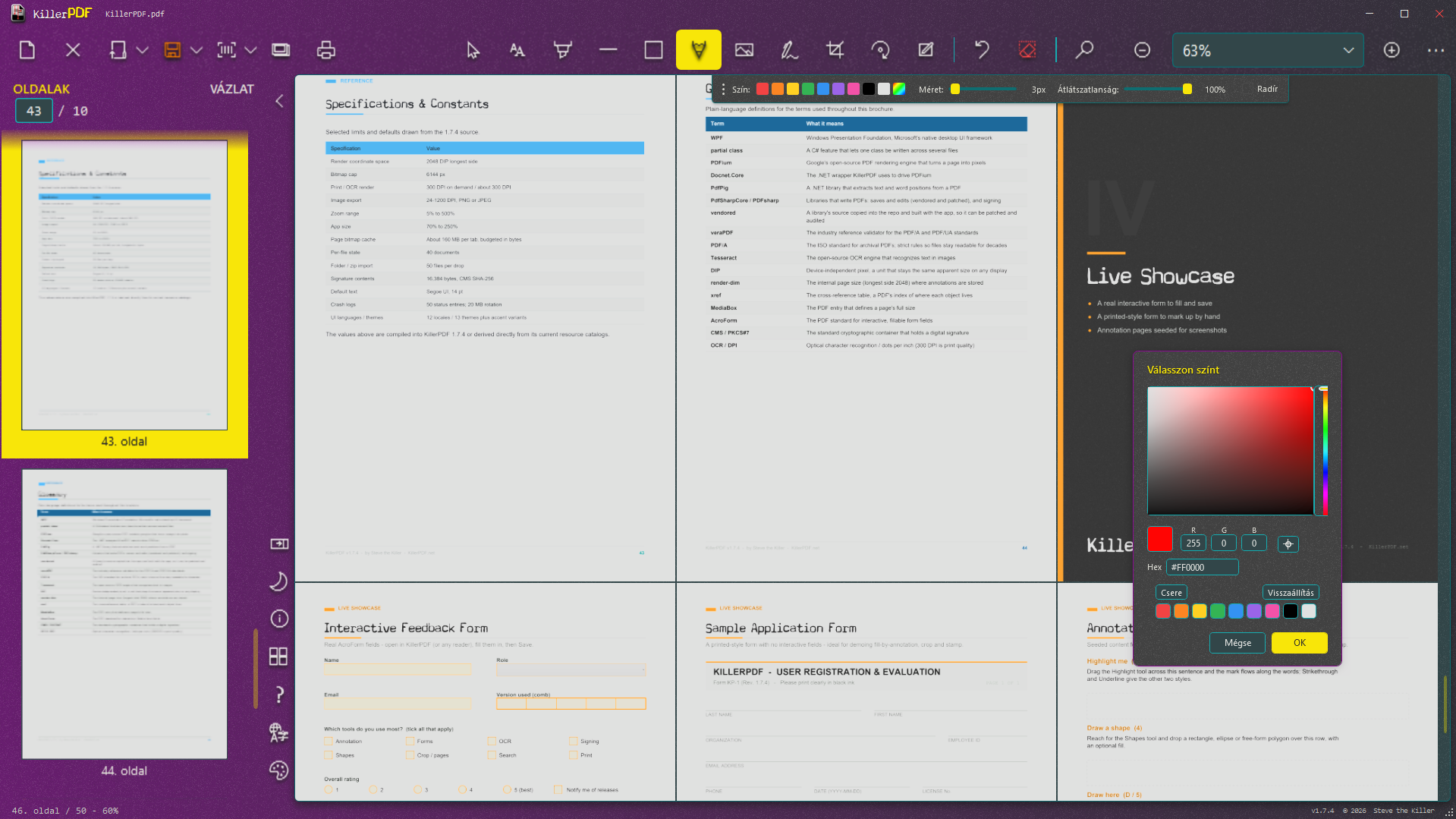
**Annotation colors and forms** - Draw with exact colors while viewing fillable fields, comb boxes, and the brochure's live form examples. | 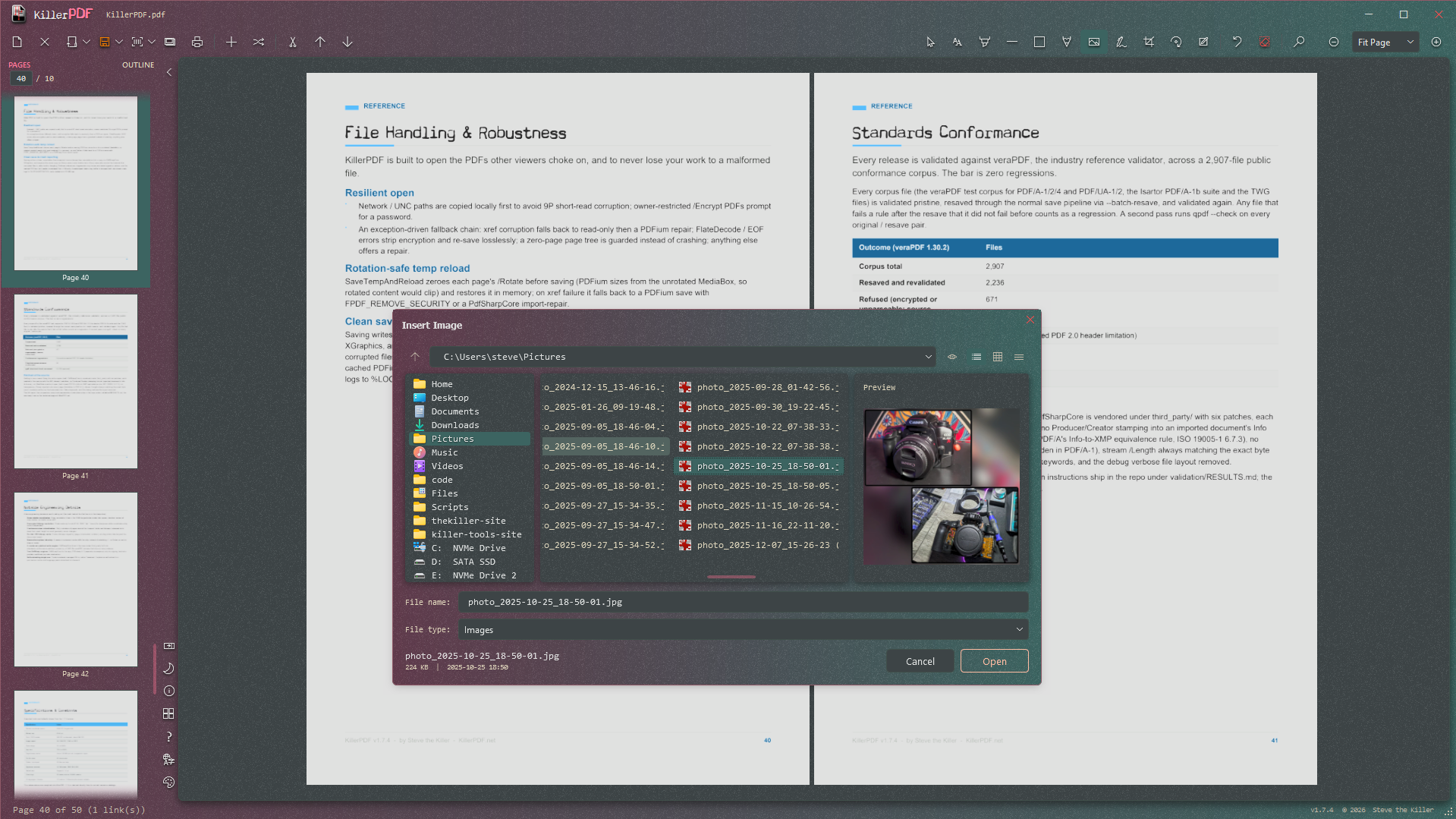
**Image picker and previews** - Browse images, inspect a large preview, and return directly to the open document. |
## Requirements
- Windows 10 or 11 (x64)
- No runtime install. Everything needed is inside the EXE (targets .NET Framework 4.8, which ships with every supported Windows release).
## Download
WinGet:
```powershell
winget install mmdpdf
```
Chocolately:
```powershell
choco install mmdpdf
```
- Prebuilt binary:
- Source (GPL3 corresponding source for this release):
## Build from source
```powershell
git clone https://github.com/SteveTheKiller/MmdPdf.git
cd MmdPdf
dotnet publish -c Release
```
Output lands in `bin/Release/net48/publish/`. Normal publishing produces the development single-file build plus a versioned `MmdPdf--src.zip`. The release pipeline builds a verified multi-file payload and packs it into one portable `MmdPdf.exe`; installed shortcuts launch the inner app directly for faster startup.
Requires the .NET 8 SDK or later to build (even though the output targets .NET Framework 4.8).
The PDF write engine (PdfSharpCore, MIT) is vendored under `third_party/PdfSharpCore/` and builds as part of the solution; it carries six standards-conformance patches, each marked `MmdPdf patch` in the source. Origin commit and details are recorded in `third_party/PdfSharpCore/VENDORED.txt`.
## Translations
UI strings live in `Strings/` (one XAML `ResourceDictionary` per locale). To add or improve a language, see [TRANSLATING.md](TRANSLATING.md). Missing keys fall back to English, so a partial translation is fine.
## Changelog
See [CHANGELOG.md](CHANGELOG.md).
## License
GPLv3. See [LICENSE](LICENSE). If you fork, modify, or redistribute MmdPdf, your version must also be released under GPLv3 with source available. No exceptions for commercial rebrands.